Contents
Regression for Analysts: From Comparison to Causal Insight
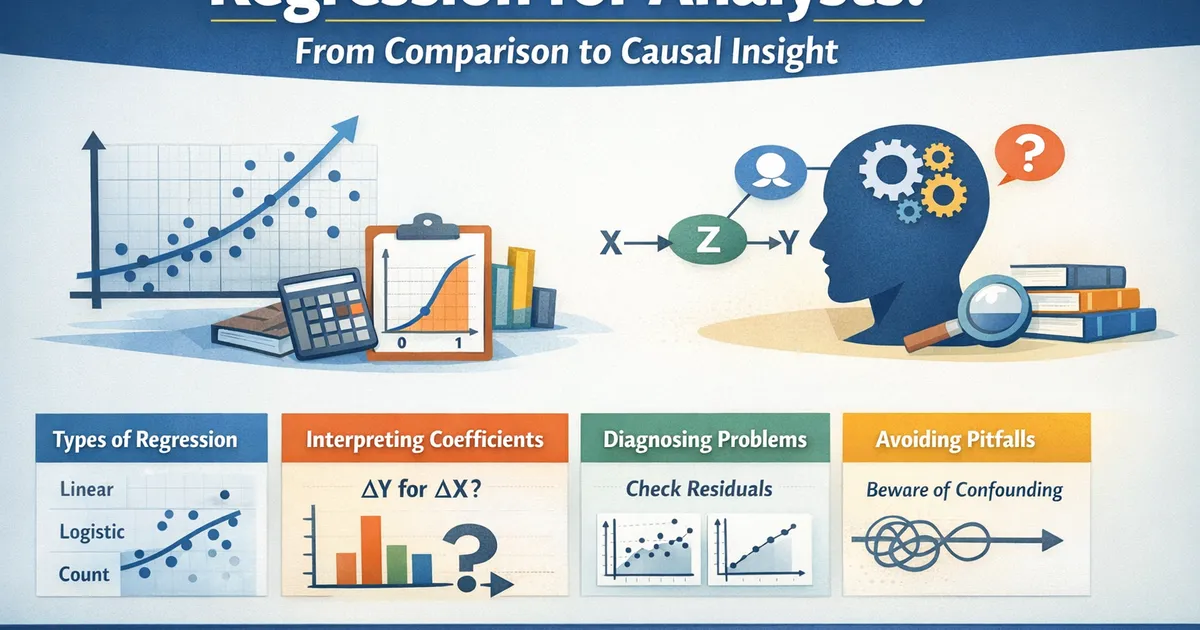
A comprehensive guide to regression analysis for product and data analysts. Learn when to use linear, logistic, and count regression, how to diagnose problems, interpret coefficients correctly, and avoid common pitfalls that lead to misleading conclusions.
Quick Hits
- •Regression = flexible framework for understanding relationships between variables
- •Linear for continuous outcomes, logistic for binary, Poisson/NB for counts
- •Coefficients answer: 'What's the expected change in Y for a unit change in X, holding others constant?'
- •'Holding others constant' is a statistical adjustment, not an experimental control
- •Diagnostics matter more than the regression itself - always check residuals
TL;DR
Regression is a framework for modeling how one or more predictor variables relate to an outcome. Linear regression handles continuous outcomes, logistic regression handles binary outcomes (yes/no), and Poisson/negative binomial regression handles counts. This guide covers when to use each type, how to interpret coefficients correctly, essential diagnostics, and common mistakes that lead analysts astray. The key insight: regression adjusts for included covariates, but "adjusting for X" is not the same as "experimentally controlling X."
Why Regression Matters for Analysts
Regression answers questions that simple comparisons can't:
-
What's the relationship between X and Y after accounting for Z?
- Does the marketing campaign increase revenue after controlling for seasonality?
-
How much does Y change when X changes by one unit?
- For each additional day of onboarding, how much does retention increase?
-
Which predictors matter most?
- Among pricing, features, and support, which drives upgrade decisions?
-
What would Y be for a new observation with specific X values?
- What's the expected lifetime value for a user with these characteristics?
The Regression Family
Linear Regression: Continuous Outcomes
Use when your outcome is a continuous number (revenue, time, satisfaction score).
Interpretation: = expected change in Y for a one-unit increase in , holding other predictors constant.
Example: Revenue = 100 + 5(emails sent) + 20(has premium) + error
- Each additional email is associated with $5 more revenue
- Premium users have $20 higher revenue on average
Logistic Regression: Binary Outcomes
Use when your outcome is yes/no, converted/not, churned/retained.
Interpretation: = odds ratio for a one-unit increase in .
Example: Conversion = f(price, has free trial, referral source)
- : each $1 price increase reduces conversion odds by 15%
Poisson/Negative Binomial: Count Outcomes
Use when your outcome is a count (purchases, logins, support tickets).
Interpretation: = multiplicative change in expected count.
Example: Support tickets = f(days since signup, plan type)
- : each additional day reduces expected tickets by 2%
Coefficient Interpretation: Getting It Right
The Fundamental Statement
For a coefficient :
" is the expected change in Y for a one-unit increase in , holding all other predictors in the model constant."
What "Holding Constant" Actually Means
This is statistical adjustment, not experimental control:
Statistical adjustment: "Among people with the same values of other predictors, how does Y vary with ?"
Experimental control: "If we randomly assigned values while keeping everything else fixed, what would happen?"
These are only equivalent under strong assumptions (no unmeasured confounders, correct model specification).
Example: Education and Salary
Model: Salary = + (Years of Education) + (Experience)
= $5,000
Correct interpretation: "Among people with the same experience level, each additional year of education is associated with $5,000 higher salary."
Incorrect interpretation: "If you get one more year of education, your salary will increase by $5,000."
The second interpretation assumes no confounding—maybe more educated people have other characteristics (motivation, networks, family resources) that also affect salary.
Building a Regression Model
Step 1: Define the Question
What relationship are you trying to understand or predict?
- Descriptive: What factors are associated with higher retention?
- Predictive: What's the expected revenue for this user?
- Causal (with caution): Does the new feature increase engagement?
Step 2: Choose the Right Model Type
| Outcome Type | Model | R Function | Python Function |
|---|---|---|---|
| Continuous | Linear | lm() |
statsmodels.OLS |
| Binary (0/1) | Logistic | glm(..., family=binomial) |
statsmodels.Logit |
| Count | Poisson | glm(..., family=poisson) |
statsmodels.Poisson |
| Overdispersed count | Negative Binomial | MASS::glm.nb() |
statsmodels.NegativeBinomial |
| Bounded (0-1) | Beta | betareg::betareg() |
statsmodels.GLM with beta family |
Step 3: Select Predictors
Include:
- Variables directly relevant to your research question
- Known confounders (affect both predictor of interest and outcome)
- Variables that improve prediction (if prediction is the goal)
Exclude:
- Variables on the causal path between X and Y (mediators)
- Variables that could induce collider bias
- Highly collinear variables (pick one or combine)
Step 4: Fit and Diagnose
Fit the model, then check:
- Residual plots for assumption violations
- Influential observations
- Multicollinearity (VIF)
- Model fit metrics (R², deviance, AIC/BIC)
Step 5: Interpret Carefully
- Report effect sizes with confidence intervals
- Distinguish association from causation
- Acknowledge limitations and alternative explanations
Diagnostics: The Most Important Part
For Linear Regression
Residuals vs. Fitted Plot (Linearity, Homoscedasticity)
- Should show random scatter around zero
- Patterns indicate non-linearity or heteroscedasticity
Q-Q Plot (Normality)
- Points should follow the diagonal line
- Deviations at tails suggest non-normality
Scale-Location Plot (Homoscedasticity)
- Should show horizontal band with even spread
- Funnel shape indicates heteroscedasticity
Residuals vs. Leverage Plot (Influential Points)
- Watch for points with high Cook's distance (>1 or >4/n)
For Logistic Regression
ROC Curve and AUC
- Measures discrimination ability
- AUC > 0.7 is acceptable, > 0.8 is good, > 0.9 is excellent
Calibration Plot
- Predicted probabilities should match observed rates
- Group predictions into bins and compare to actual outcome rates
Hosmer-Lemeshow Test
- Tests whether predicted probabilities match observed outcomes
- Non-significant p-value suggests good fit (but sensitive to sample size)
For Count Models
Dispersion Check
- Poisson assumes mean = variance
- If variance >> mean, use negative binomial
- Check: ratio of Pearson chi-square to degrees of freedom
Zero-Inflation Check
- More zeros than Poisson/NB predicts?
- Consider zero-inflated models
Code: Complete Regression Workflow
Python
import numpy as np
import pandas as pd
import statsmodels.api as sm
import statsmodels.formula.api as smf
from statsmodels.stats.outliers_influence import variance_inflation_factor
import matplotlib.pyplot as plt
import seaborn as sns


def run_linear_regression(data, formula):
    """
    Complete linear regression workflow with diagnostics.

    Parameters:
    -----------
    data : pd.DataFrame
        Dataset
    formula : str
        Patsy formula (e.g., 'y ~ x1 + x2')

    Returns:
    --------
    dict with model, summary, and diagnostic flags
    """
    # Fit model
    model = smf.ols(formula, data=data).fit()

    # Extract components for diagnostics
    fitted = model.fittedvalues
    residuals = model.resid
    standardized_resid = model.get_influence().resid_studentized_internal
    leverage = model.get_influence().hat_matrix_diag
    cooks_d = model.get_influence().cooks_distance[0]

    # Calculate VIF for multicollinearity
    X = model.model.exog
    vif_data = pd.DataFrame({
        'Variable': model.model.exog_names,
        'VIF': [variance_inflation_factor(X, i) for i in range(X.shape[1])]
    })

    # Diagnostic flags
    flags = []

    # High Cook's distance
    high_cooks = np.sum(cooks_d > 4/len(data))
    if high_cooks > 0:
        flags.append(f"{high_cooks} observations with Cook's d > 4/n")

    # High VIF
    high_vif = vif_data[vif_data['VIF'] > 5]['Variable'].tolist()
    if 'Intercept' in high_vif:
        high_vif.remove('Intercept')
    if high_vif:
        flags.append(f"High VIF (>5): {high_vif}")

    # Heteroscedasticity (Breusch-Pagan)
    from statsmodels.stats.diagnostic import het_breuschpagan
    bp_stat, bp_p, _, _ = het_breuschpagan(residuals, model.model.exog)
    if bp_p < 0.05:
        flags.append(f"Heteroscedasticity detected (BP p={bp_p:.4f})")

    return {
        'model': model,
        'summary': model.summary(),
        'vif': vif_data,
        'diagnostics': {
            'fitted': fitted,
            'residuals': residuals,
            'standardized_resid': standardized_resid,
            'leverage': leverage,
            'cooks_d': cooks_d
        },
        'flags': flags,
        'r_squared': model.rsquared,
        'adj_r_squared': model.rsquared_adj
    }


def plot_linear_diagnostics(result, figsize=(12, 10)):
    """Create diagnostic plots for linear regression."""
    diag = result['diagnostics']

    fig, axes = plt.subplots(2, 2, figsize=figsize)

    # 1. Residuals vs Fitted
    ax1 = axes[0, 0]
    ax1.scatter(diag['fitted'], diag['residuals'], alpha=0.6)
    ax1.axhline(y=0, color='red', linestyle='--')
    ax1.set_xlabel('Fitted Values')
    ax1.set_ylabel('Residuals')
    ax1.set_title('Residuals vs Fitted')
    # Add lowess smoothing
    from statsmodels.nonparametric.smoothers_lowess import lowess
    smooth = lowess(diag['residuals'], diag['fitted'], frac=0.3)
    ax1.plot(smooth[:, 0], smooth[:, 1], color='red', linewidth=2)

    # 2. Q-Q Plot
    ax2 = axes[0, 1]
    from scipy import stats
    stats.probplot(diag['standardized_resid'], dist="norm", plot=ax2)
    ax2.set_title('Normal Q-Q')

    # 3. Scale-Location
    ax3 = axes[1, 0]
    sqrt_abs_resid = np.sqrt(np.abs(diag['standardized_resid']))
    ax3.scatter(diag['fitted'], sqrt_abs_resid, alpha=0.6)
    ax3.set_xlabel('Fitted Values')
    ax3.set_ylabel('√|Standardized Residuals|')
    ax3.set_title('Scale-Location')
    smooth = lowess(sqrt_abs_resid, diag['fitted'], frac=0.3)
    ax3.plot(smooth[:, 0], smooth[:, 1], color='red', linewidth=2)

    # 4. Residuals vs Leverage
    ax4 = axes[1, 1]
    ax4.scatter(diag['leverage'], diag['standardized_resid'], alpha=0.6)
    ax4.axhline(y=0, color='grey', linestyle='--')
    ax4.set_xlabel('Leverage')
    ax4.set_ylabel('Standardized Residuals')
    ax4.set_title('Residuals vs Leverage')

    # Add Cook's distance contours
    xlim = ax4.get_xlim()
    ylim = ax4.get_ylim()
    for thresh in [0.5, 1.0]:
        x = np.linspace(0.001, xlim[1], 50)
        y = np.sqrt(thresh * len(diag['fitted']) * (1-x) / x)
        ax4.plot(x, y, 'r--', linewidth=0.5)
        ax4.plot(x, -y, 'r--', linewidth=0.5)

    plt.tight_layout()
    return fig


def run_logistic_regression(data, formula):
    """
    Logistic regression workflow with diagnostics.
    """
    # Fit model
    model = smf.logit(formula, data=data).fit(disp=0)

    # Calculate predicted probabilities
    pred_probs = model.predict()

    # Calculate odds ratios with CIs
    params = model.params
    conf = model.conf_int()
    odds_ratios = pd.DataFrame({
        'Variable': params.index,
        'Coefficient': params.values,
        'Odds Ratio': np.exp(params.values),
        'OR CI Lower': np.exp(conf[0].values),
        'OR CI Upper': np.exp(conf[1].values),
        'P-value': model.pvalues.values
    })

    return {
        'model': model,
        'summary': model.summary(),
        'odds_ratios': odds_ratios,
        'pred_probs': pred_probs,
        'aic': model.aic,
        'bic': model.bic
    }


# Example usage
if __name__ == "__main__":
    # Generate sample data
    np.random.seed(42)
    n = 500

    data = pd.DataFrame({
        'x1': np.random.normal(0, 1, n),
        'x2': np.random.normal(0, 1, n),
        'x3': np.random.choice(['A', 'B', 'C'], n)
    })
    data['y'] = 5 + 2*data['x1'] - 1*data['x2'] + \
                np.where(data['x3']=='B', 3, np.where(data['x3']=='C', -2, 0)) + \
                np.random.normal(0, 2, n)

    # Run regression
    result = run_linear_regression(data, 'y ~ x1 + x2 + C(x3)')

    print("Regression Summary")
    print("=" * 60)
    print(result['summary'])
    print("\nVIF Table:")
    print(result['vif'])
    print("\nDiagnostic Flags:")
    for flag in result['flags']:
        print(f"  - {flag}")
R
library(tidyverse)
library(broom)
library(car)  # For VIF
library(performance)  # For comprehensive diagnostics


run_linear_regression <- function(formula, data) {
    #' Complete linear regression workflow

    model <- lm(formula, data = data)

    # Calculate VIF
    vif_values <- tryCatch(
        vif(model),
        error = function(e) NA
    )

    # Diagnostic tests
    # Breusch-Pagan for heteroscedasticity
    bp_test <- lmtest::bptest(model)

    # Shapiro-Wilk for normality (on sample of residuals if n > 5000)
    resids <- residuals(model)
    if (length(resids) > 5000) {
        resids <- sample(resids, 5000)
    }
    normality_test <- shapiro.test(resids)

    # Influential observations
    cooks_d <- cooks.distance(model)
    influential <- sum(cooks_d > 4/nrow(data))

    # Compile flags
    flags <- c()
    if (bp_test$p.value < 0.05) {
        flags <- c(flags, sprintf("Heteroscedasticity detected (BP p=%.4f)", bp_test$p.value))
    }
    if (normality_test$p.value < 0.05) {
        flags <- c(flags, sprintf("Non-normality detected (SW p=%.4f)", normality_test$p.value))
    }
    if (any(vif_values > 5, na.rm = TRUE)) {
        high_vif <- names(vif_values)[vif_values > 5]
        flags <- c(flags, sprintf("High VIF (>5): %s", paste(high_vif, collapse=", ")))
    }
    if (influential > 0) {
        flags <- c(flags, sprintf("%d observations with Cook's d > 4/n", influential))
    }

    list(
        model = model,
        summary = summary(model),
        tidy = tidy(model, conf.int = TRUE),
        glance = glance(model),
        vif = vif_values,
        flags = flags
    )
}


plot_diagnostics <- function(model) {
    #' Create diagnostic plots using base R

    par(mfrow = c(2, 2))
    plot(model)
    par(mfrow = c(1, 1))
}


run_logistic_regression <- function(formula, data) {
    #' Logistic regression with odds ratios

    model <- glm(formula, data = data, family = binomial)

    # Odds ratios with CIs
    or_table <- exp(cbind(
        OR = coef(model),
        confint(model)
    ))

    # Model fit
    null_dev <- model$null.deviance
    resid_dev <- model$deviance
    pseudo_r2 <- 1 - (resid_dev / null_dev)

    list(
        model = model,
        summary = summary(model),
        odds_ratios = or_table,
        tidy = tidy(model, conf.int = TRUE, exponentiate = TRUE),
        aic = AIC(model),
        pseudo_r2 = pseudo_r2
    )
}


run_poisson_regression <- function(formula, data) {
    #' Poisson regression with overdispersion check

    model <- glm(formula, data = data, family = poisson)

    # Overdispersion check
    pearson_resid <- sum(residuals(model, type = "pearson")^2)
    df_resid <- model$df.residual
    dispersion <- pearson_resid / df_resid

    # Rate ratios with CIs
    rr_table <- exp(cbind(
        RR = coef(model),
        confint(model)
    ))

    flags <- c()
    if (dispersion > 1.5) {
        flags <- c(flags, sprintf("Overdispersion detected (%.2f > 1.5). Consider negative binomial.", dispersion))
    }

    list(
        model = model,
        summary = summary(model),
        rate_ratios = rr_table,
        dispersion = dispersion,
        flags = flags
    )
}


# Example usage
set.seed(42)
n <- 500

data <- tibble(
    x1 = rnorm(n),
    x2 = rnorm(n),
    x3 = sample(c("A", "B", "C"), n, replace = TRUE)
) %>%
    mutate(
        y = 5 + 2*x1 - 1*x2 +
            case_when(x3 == "B" ~ 3, x3 == "C" ~ -2, TRUE ~ 0) +
            rnorm(n, sd = 2)
    )

# Run regression
result <- run_linear_regression(y ~ x1 + x2 + x3, data)

cat("Regression Results\n")
cat(strrep("=", 60), "\n")
print(result$tidy)
cat("\nModel Fit:\n")
print(result$glance)
cat("\nDiagnostic Flags:\n")
for (flag in result$flags) {
    cat("  -", flag, "\n")
}
Common Mistakes and How to Avoid Them
Mistake 1: Interpreting Coefficients as Causal Effects
Wrong: "Our model shows that each additional year of education increases salary by $5,000."
Right: "Our model shows that education is associated with $5,000 higher salary per year, after adjusting for experience. This may reflect causal effects, selection effects, or unmeasured confounders."
Fix: Be precise about what regression can and cannot tell you. Use causal language only for experimental data.
Mistake 2: Including Post-Treatment Variables
If X → M → Y, controlling for M blocks the causal path from X to Y.
Wrong: Testing if a marketing campaign (X) affects purchases (Y) while controlling for website visits (M) that the campaign causes.
Right: Don't control for mediators. Report total effect (without M) and potentially decompose direct/indirect effects if that's your question.
Mistake 3: Ignoring Diagnostics
Wrong: Running regression, seeing , declaring success.
Right: Check residual plots before interpreting any coefficients. Violations can make standard errors wrong and coefficients biased.
Mistake 4: Stepwise Selection
Wrong: Using automated stepwise procedures to select variables.
Right: Select variables based on theory and research questions. Use cross-validation for purely predictive models.
Mistake 5: Overfitting
Wrong: Adding many predictors to maximize R².
Right: Report adjusted R². Use AIC/BIC for model comparison. Consider holdout validation for predictive models.
Mistake 6: Ignoring Multicollinearity
Wrong: Including highly correlated predictors and interpreting their coefficients.
Right: Check VIF. If VIF > 5-10, consider combining variables or dropping redundant ones.
Regression vs. Simple Tests: A Unified View
Regression subsumes many common tests:
| Simple Test | Regression Equivalent |
|---|---|
| One-sample t-test | Regression with intercept only, test |
| Two-sample t-test | y ~ group (dummy coded) |
| Paired t-test | y_diff ~ 1 (regression on differences) |
| One-way ANOVA | y ~ factor (dummy coded) |
| Two-way ANOVA | y ~ factor1 * factor2 |
| Correlation test | y ~ x (standardized both) |
| Chi-square test | Logistic regression on counts |
Why this matters: Understanding regression as a general framework helps you see when simple tests are appropriate and when you need more flexibility.
When Regression Isn't Enough
For Causal Inference
Regression alone can't handle unmeasured confounding. Consider:
- Randomized experiments: Gold standard for causal claims
- Instrumental variables: When you have a valid instrument
- Regression discontinuity: When treatment is assigned by a threshold
- Difference-in-differences: When you have pre/post and treatment/control
For Non-Linear Relationships
Standard regression assumes linear relationships (in parameters). For complex patterns:
- Polynomial terms: y ~ x + x² for U-shaped relationships
- Splines: Flexible local fitting
- GAMs: Generalized additive models for smooth non-linearities
- Machine learning: Random forests, gradient boosting for prediction
For Hierarchical/Clustered Data
When observations aren't independent (students in classrooms, users across sessions):
- Mixed effects models: Account for group structure
- Cluster-robust standard errors: At minimum, adjust SEs
- GEE: Generalized estimating equations
The Analyst's Regression Checklist
Before Fitting
- Research question is clear
- Outcome variable type identified (continuous, binary, count)
- Predictors selected based on theory/question (not p-values)
- Sample size adequate for planned predictors
- Data cleaned (missing values handled, outliers examined)
After Fitting
- Residuals vs. fitted shows no patterns
- Q-Q plot shows approximate normality (linear regression)
- Scale-location plot shows homoscedasticity
- No highly influential observations (or understood)
- VIF < 5 for all predictors (or multicollinearity acknowledged)
- Model makes substantive sense
When Reporting
- Effect sizes with confidence intervals
- Clear distinction between association and causation
- Limitations acknowledged
- Sensitivity to model choices discussed
Related Articles in This Cluster
Regression Fundamentals
- Linear Regression Assumptions and Diagnostics - Deep dive on diagnostics
- Regression vs. t-test/ANOVA: A Unifying View - When simpler tests suffice
Specialized Models
- Logistic Regression: Interpretation and Pitfalls - Binary outcomes
- Poisson vs. Negative Binomial - Count outcomes
Handling Complications
- Interaction Terms - Treatment × segment effects
- Robust Standard Errors - Heteroscedasticity fixes
- Collinearity - When predictors correlate
- Feature Scaling and Transforms - Preprocessing decisions
Key Takeaway
Regression is the analyst's most versatile tool—it unifies simple comparisons (t-tests, ANOVA) and correlation into one framework that handles continuous predictors, multiple covariates, and different outcome types. But versatility requires vigilance: always check diagnostics, interpret "controlling for" correctly (it's statistical adjustment, not experimental control), and remember that without randomization, coefficients show association, not causation. Master regression, and you'll have a framework for understanding relationships in almost any data.
References
- https://www.stat.berkeley.edu/~aldous/157/Papers/Fox.pdf
- https://www.amazon.com/Regression-Stories-Prediction-Quantitative-Analysis/dp/1107676517
- https://journals.sagepub.com/doi/10.1177/2515245917745629
- Fox, J. (2015). Applied regression analysis and generalized linear models. Sage Publications.
- Gelman, A., Hill, J., & Vehtari, A. (2020). Regression and other stories. Cambridge University Press.
- Westfall, J., & Yarkoni, T. (2016). Statistically controlling for confounding constructs is harder than you think. *PLoS ONE*, 11(3), e0152719.
Frequently Asked Questions
When should I use regression instead of a t-test or ANOVA?
What's the difference between linear and logistic regression?
Can regression prove causation?
How do I know if my regression is valid?
Key Takeaway
Regression is the analyst's Swiss Army knife - it unifies t-tests, ANOVA, and correlation into one flexible framework. But flexibility creates responsibility: you must check assumptions, interpret coefficients correctly (association, not causation without experiments), and understand what 'controlling for' actually means.